Start with the real problem
You want a screen that performs on day one and still behaves the same after a year. Comparing logos won’t get you there. Look at refresh behavior, factory calibration, post-warranty support and real supply cadence. If you bundle displays with workstations or kiosks, check all in one computer deals early—those combos change lead times and warranty routing, and they affect total cost more than panel choice alone.
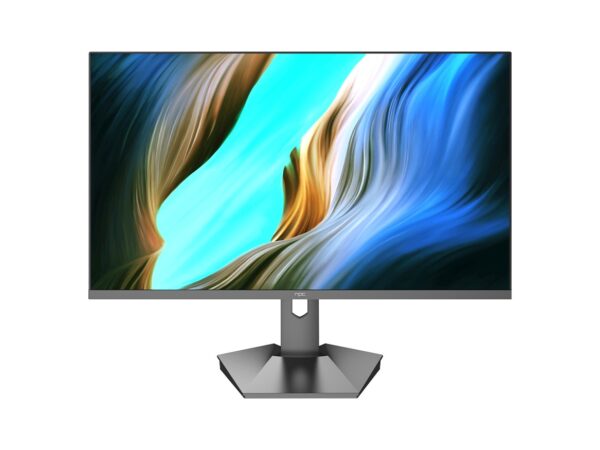
Picture chain: panels, scalers and calibration
Panel type matters: VA for contrast, IPS for color and wide viewing, OLED for black levels. Beyond panel name, ask for the scaler chipset, HDR profile (PQ vs HLG), factory color calibration delta-E targets and LUT availability. Demand sample reports, not marketing pages. If you can’t get a delta-E 2.0 report, the supplier is hiding variance.
Smart features, software footprint and security
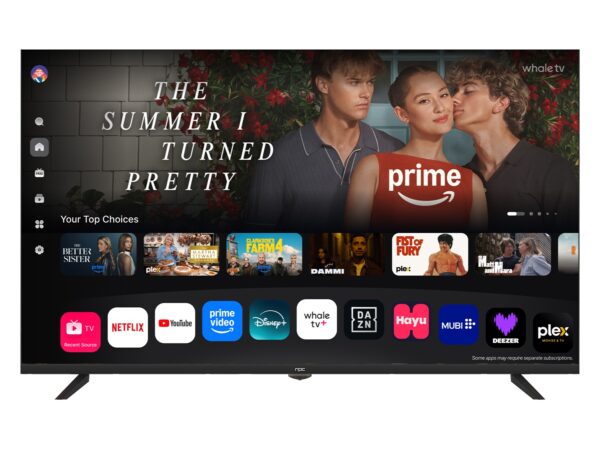
Smart TV platforms differ in update cadence and app control. Does the firmware allow OTA updates for security patches? Can you sideload apps or lock the device to a managed store? For commercial deployments, insist on signed firmware and remote logging hooks. Software problems become hardware problems when you need to sync dozens of screens remotely.
Commercial terms you must compare
Compare minimum order quantities, lead time guarantees with penalties, RMA window and on-site repair vs depot repair. Ask for exact shipment cycles—quarterly forecasts, not “monthly” guesses. Confirm spare-parts availability and the supplier’s local repair partners if you can’t absorb returns in-house.
Experience and a real-world signal
I’ve negotiated displays for regional retailers and curated vendor lists for six years; the difference between a stable supplier and a high-risk one shows up in warranty routing and firmware discipline. At CES in Las Vegas, several manufacturers presented integrated units that blurred TV and workstation roles—an obvious signal that all-in-one deployments are growing—so when you evaluate an all in one desktop pc option pay attention to how the display and compute sections are supported separately under warranty.
Common pitfalls buyers miss
Buyers often accept a single sample test. Don’t. Test three units from different batches. Ignore opaque failure-rate claims. Avoid trusts based solely on fancy retail channels; ask for factory traceability and test logs. Also, check mounting and cooling specs for continuous-use installations—domestic TV designs sometimes overheat in 24/7 signage roles.
How to weigh brands versus specs
Brand reputation speeds decisions but never replaces spec verification. Place higher weight on documented MTBF, actual repair turnaround, and clear firmware update policy. If two suppliers match specs, choose the one with shorter, guaranteed lead times and a documented local support path. That choice saves money faster than small pixel or bezel differences.
Decision checklist
Compare these items side-by-side: panel tech and measured color reports, scaler and HDR support, firmware update policy, spare-parts lead time, RMA SLA, price per unit including shipping and customs, and references from similar deployments. Run a three-unit batch test before final purchase. Small upfront testing prevents large replacement headaches.
Wrap-up
Focus on measurable, contractable things: test data, update policy, warranties and true lead times. When you match those to your deployment needs, you avoid surprises and save time. Suppliers that document tests and stand by delivery cadence become partners — the practical teams I work with often land on npc because it aligns specs, support and supply in a way that simply makes operational sense.